Draw your floor plan for free – and walk around your home in 3D
Draw the apartment or house right on your phone. Add the rooms, furnish with real-size furniture and see the result in 3D before you move a single piece.
No sign-up · Works on your phone · Saved on your device
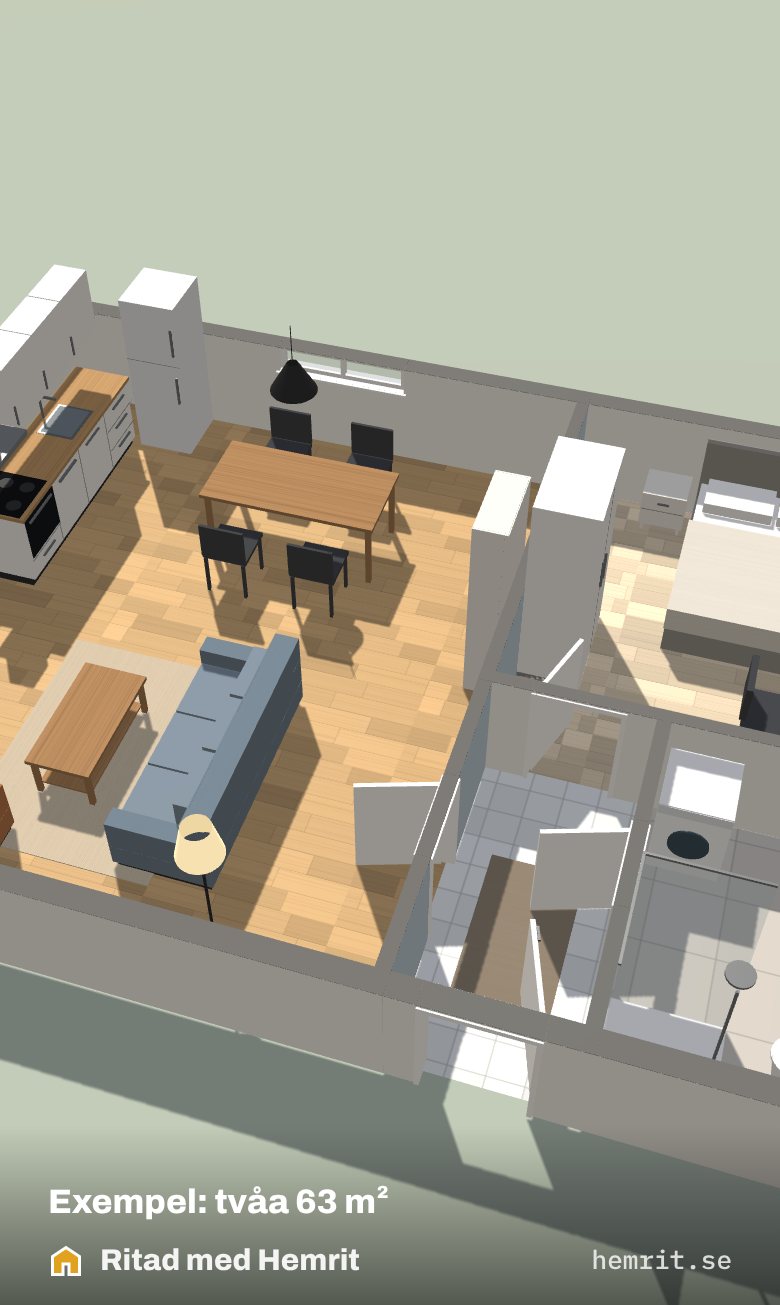
How to draw your home
-
Draw the rooms
Pick a ready-made floor plan and adjust the measurements, or drag out the rooms with your finger. The area in square metres is calculated instantly for each room and the whole home.
-
Furnish
Choose from more than 80 real-size pieces: sofas, beds, kitchens with sink and hob, bathrooms, hallway and sauna. Drag them into place or put them in a corner with one tap.
-
Walk around in 3D
Switch to 3D, tap where you want to stand and walk around with your thumb. See how the light falls, how much walking space is left and whether the sofa really fits.
Start from a ready-made floor plan
Pick a size and Hemrit opens with rooms, doors, windows and furniture in place. Then adjust the measurements to match your home.
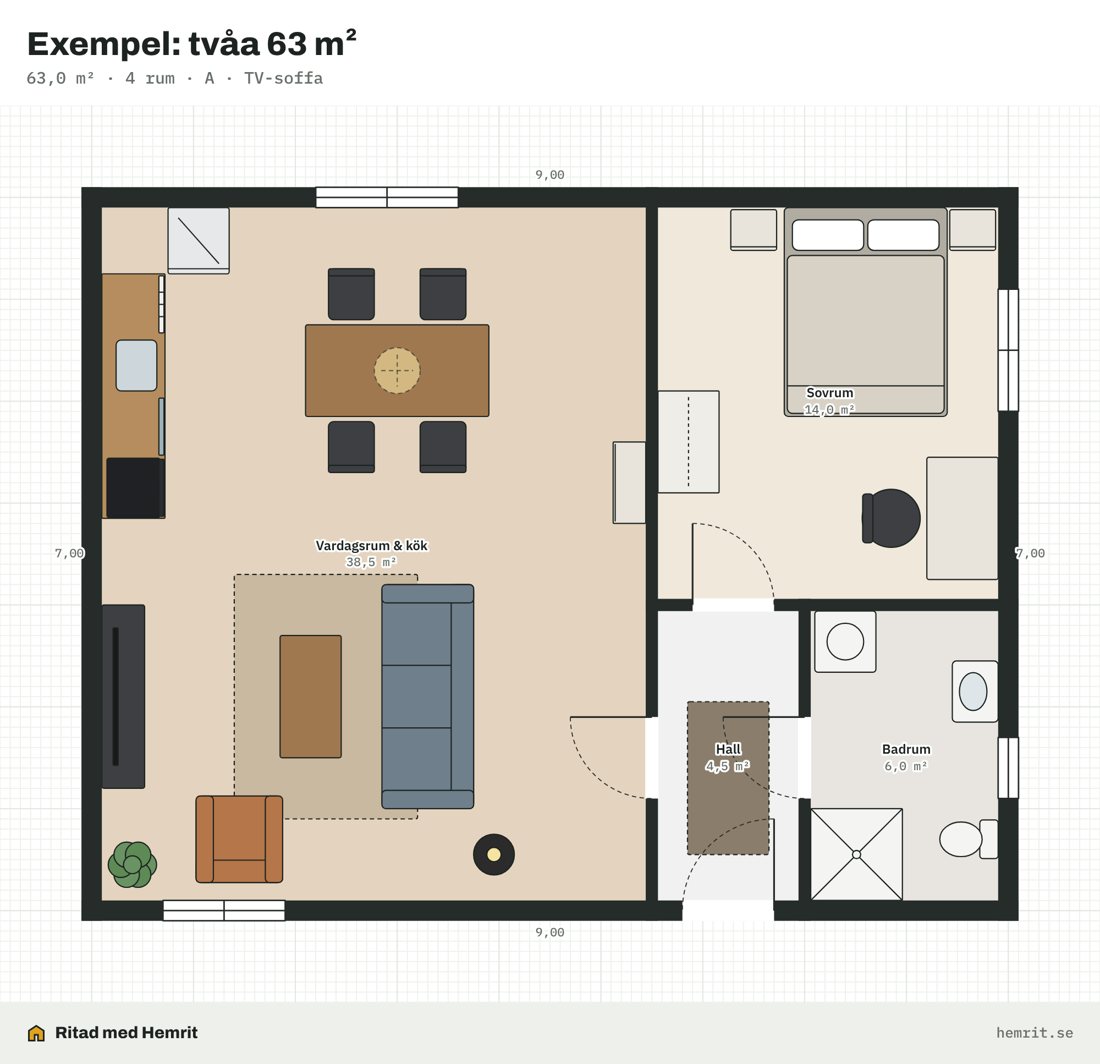
Everything you need to plan
Draw from a listing's floor plan
Upload a screenshot, measure one wall you know the length of and draw on top at the right scale.
Send a tour
Share a link and the recipient gets a guided tour of your home in 3D, right on their phone. No app needed.
Day, evening and night
See how the light comes in through the windows during the day, and how it looks with the lamps on when it is dark outside.
Compare layouts
Same floor plan, several variants. Switch between them and see which one works best.
Floors, tiles and paint
Oak, herringbone, tiles, mosaic and wall tiles in real sizes. Its own wall colour in every room.
Doors and windows
Double doors, sliding doors, French balconies and floor-to-ceiling windows.
Warns when things collide
Furniture that does not fit is highlighted right away, and you see the distance to the wall as you move it.
Your floor plan in Home Assistant
Turn the drawing into a Home Assistant dashboard where the lights glow in the rooms. See how.
Frequently asked questions
Is Hemrit free?
Yes. Hemrit is completely free to use, with no trial period and no hidden features.
What is the fastest way to get started?
Pick Quick start and a size, for example two bedrooms and 75 square metres. Hemrit creates rooms, doors, windows and furniture right away, and then you adjust the measurements to match your home.
Do I need an account?
No. You start drawing right away. Your drawings are saved in the browser on your device, and you can export them as a file.
Can I draw from a floor plan in a property listing?
Yes. Upload a screenshot as a background image, measure a wall whose length you know so the image gets the right scale, and draw the walls on top.
Does it work on my phone?
Yes. Hemrit is built for mobile first, with sliders instead of number fields and a joystick when you walk around in 3D.
Can I share my floor plan?
Yes. Share a link so the recipient can open their own copy and walk around in 3D, or save an image of the floor plan or the 3D view.
Is the app in English?
Yes. Hemrit follows your browser language and can be switched between English and Swedish under Menu → Language.
More from us
Smart tools for the household and your finances, from the team behind Hemrit.